
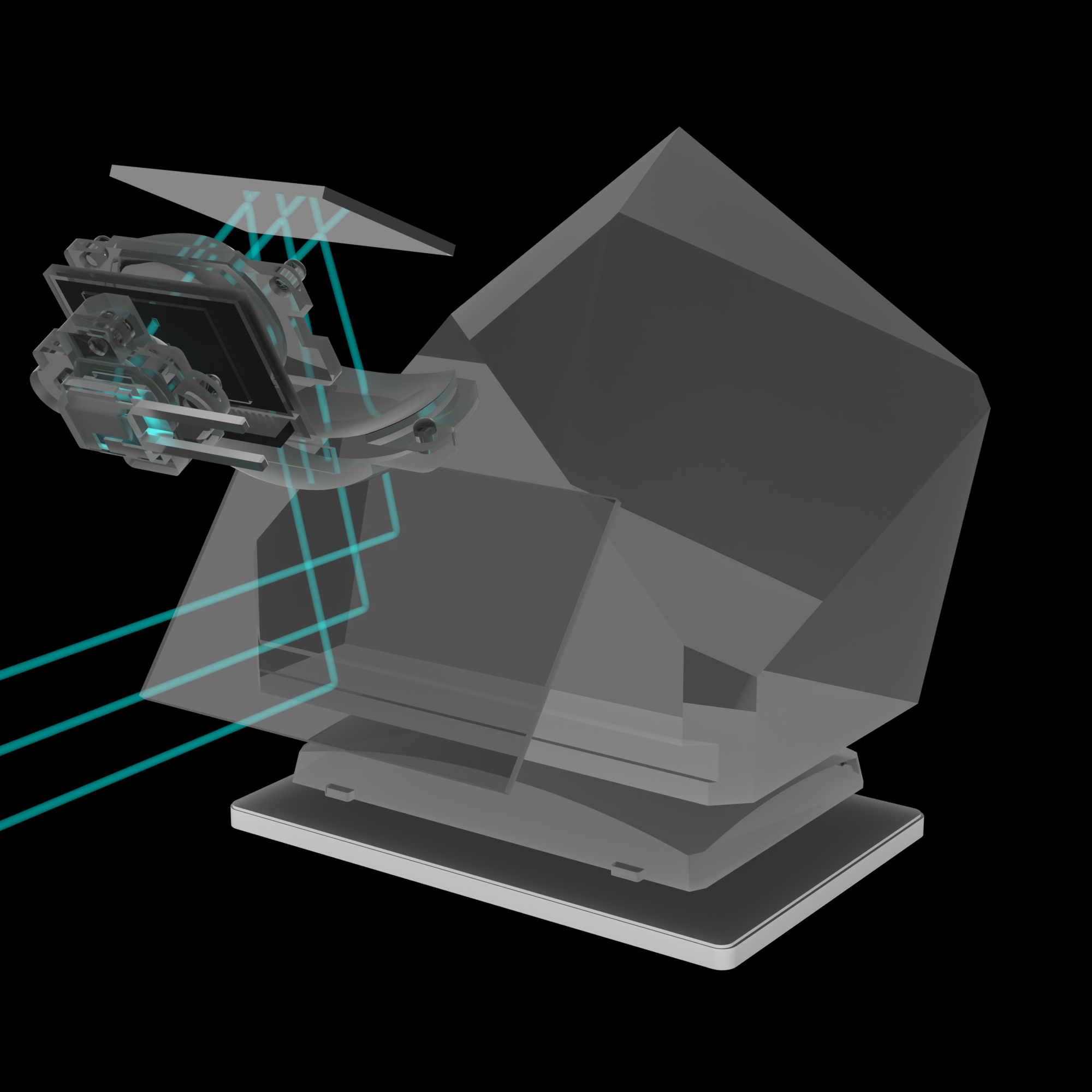
This article examines the gradual development of Canon's superimposed display systems. The project visualizes the most significant steps from Canon's very first to their most advanced superimposed display system.




The latter half of the twentieth century has seen an unprecedented rise of microelectronics such as optoelectronic sensors and microprocessors. It was during the 1970s when these technologies began to move into consumer products while their use expanded heavily during the 1980s. In 1987, Canon's revolutionary Electro-Optical System EOS introduced an entire bundle of new electronic features. This new microprocessor-based concept not only created a fully electronic, all-digital interface between the camera body and the lens, but it paved the way to an entire new approach to capturing light via an image sensor and storing it on digital media. In fact, microprocessors have become indispensable in controlling the metering system, the autofocus system, as well as LCD displays and indicator LEDs. It was in the subsequent decades, especially during the 1990s and 2000s, when Canon came up with incredibly interesting concepts to display information in their viewfinders, and how to illuminate autofocus points. While the last few years have brought even more technological advances such as electronic viewfinders, it was precisely the ingenious viewfinder systems of earlier EOS cameras that have created a very distinctive user experience. This article is dedicated to the ingenuity of Canon's optical engineers from that era.
Canon's superimposed display (SI display) refers to a technology in their SLR, DSLR, and mirrorless cameras that overlays photographic information – such as autofocus (AF) points – directly onto the optical viewfinder image or live-view screen. This technology allows users to check critical settings without taking their eye away from the viewfinder.
While the early SI displays only displayed the available AF points, later SI display developments have also added other helpful information to the SI system, such as electronic levels, useful grid lines for framing, or flicker warnings. The AF points and helper lines appear in black by default, but can be lit up in red. This red lighting is called the viewfinder (VF) display illumination or autofocus (AF) point illumination.
Some resources define the superimposed display as the entirety of information visible through the viewfinder. This would include the additional horizontal and vertical side LCD displays outside the preview image (the green displays on the black background surrounding the focusing screen). These side LCD displays have been left out from this article to keep the focus on the actual AF point illumination.
Essentially all digital cameras use small indicators to show the positions at which the camera can detect the focus condition automatically. While these indicators are often described as autofocus (AF) points, they are usually shown as small frames, rectangles or squares. The exact shape of these AF frames indicates whether an AF detector is a linear (rectangular AF frame) or cross-type (square AF frame) autofocus detector. Read more about the underlying technology of these autofocus detectors here. In this article, the terms autofocus points, AF points, autofocus frames, and AF frames are used interchangeably.
On Canon cameras with a superimposed display (primarily DSLRs and some mirrorless models using an electronic viewfinder), the AF points light up or flash in red during specific shooting scenarios, typically controlled by the VF display illumination setting [Auto, Enable, or Disable] in the custom functions menu. This illumination occurs momentarily when pressing the shutter button halfway, depending on the VF display illumination settings. Here are the specific cases when the AF points light up in red:
There are four general approaches to AF point illumination which are explained in great detail using six different Canon EOS camera models, including 35mm film SLR cameras and DSLR cameras from 1994 until 2009. Here is a list of the four basic systems:
The following chapters (1-6) are not chronologically sorted by the camera's date of release but the sorting was done according to the ascending number of autofocus points.
The AF point illumination systems discussed in this article have only been used in Canon's optical viewfinders (OVF) consisting of a focusing screen, a glass pentaprism, eyepiece optics, and other optical elements. The advent of mirrorless cameras and associated electronic viewfinders (EVF) around 2020 has suddenly made conventional optical viewfinders an obsolete technology. Therefore, the concept to illuminate individual AF points via dedicated SI optics is outdated for almost 10 years. However, it would be regrettable to simply let this interesting technology be forgotten. This article primarily focuses on the ingenious techniques that Canon used to illuminate the individual AF points in the viewfinder. It is an optical and historical study of how the various optical approaches have changed and improved over the years. While early SI displays used discrete lighting components to illuminate each AF point via prisms and lenses deeply hidden inside the camera's viewfinder unit, the more advanced SI displays relied on highly miniaturized projection systems using transmissive LCDs and dichroic mirrors. It is shown in 40+ high-quality ray-traced images and animations how these fascinating concepts were implemented in our favorite cameras. The electronic viewfinders of mirrorless cameras are not discussed here.